What is WinGate?
WinGate is a robust proxy server and internet gateway designed for businesses and enterprises. It supports HTTP, SOCKS, and integrated communication services, offering a comprehensive solution for managing network access, enforcing security policies, and optimizing bandwidth usage. By integrating Toolip with WinGate Proxy Server, you can enhance network security, control internet access, and improve privacy, ensuring a seamless and efficient browsing experience. Prefer an enterprise-grade guide? Learn more about Oculus Proxies Wingate Integration Guide.How to Set Up Toolip With WinGate
1
Install and set up
Set up a license, install WinGate, and launch the software.
2
Access Services
After creating an account, navigate to the Services section in the left-hand menu.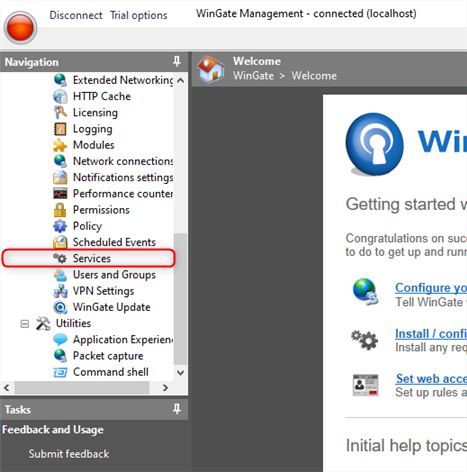
3
Install a New Service
Right-click in the main window and select Install Service.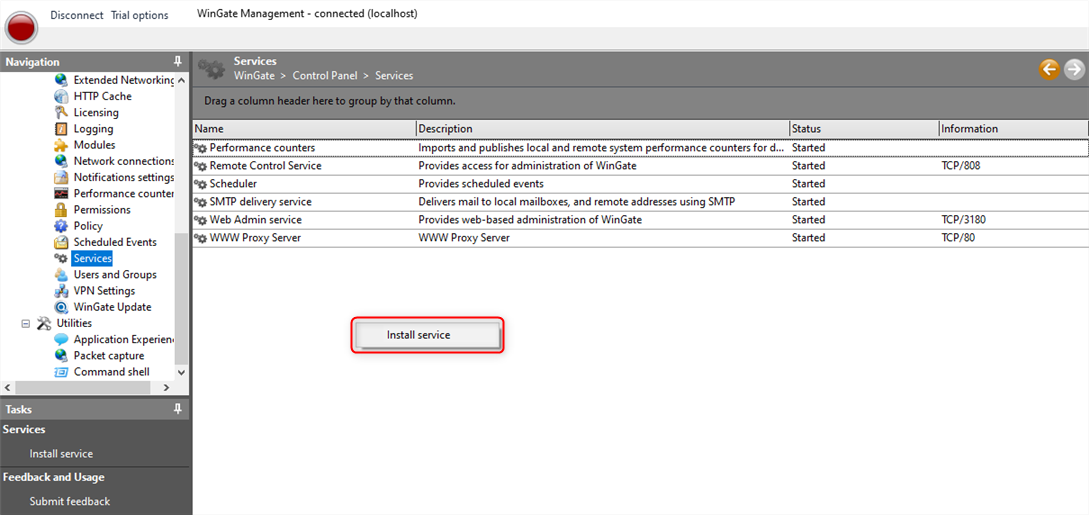
4
Select Proxy Service
In the setup window, choose WWW Proxy Service and click Next.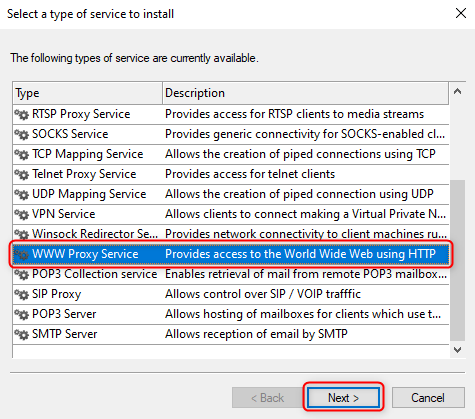
5
Name the Service
Assign a name to the service and click Finish.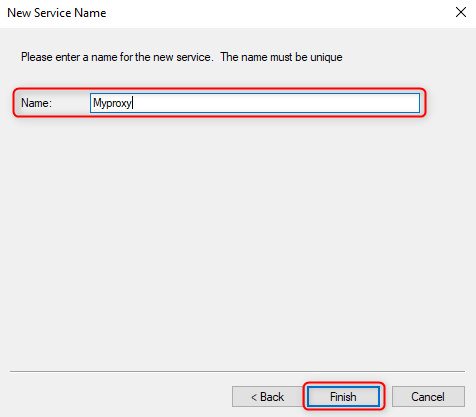
6
Modify Policies
Once the new window opens, go to the Bindings tab and delete all existing Binding Policies.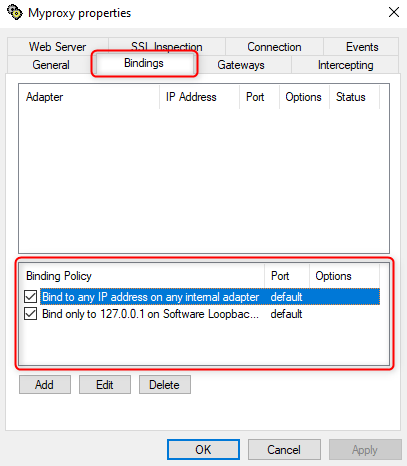
7
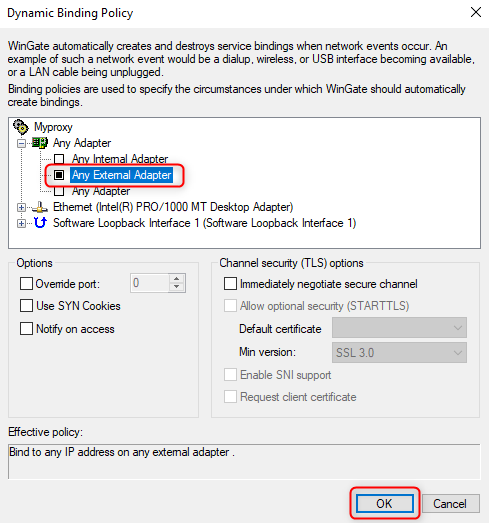
Create New Policy
Click Add, choose Any External Adapter and then click OK.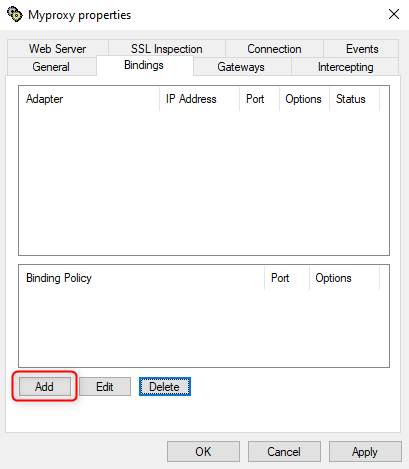
8
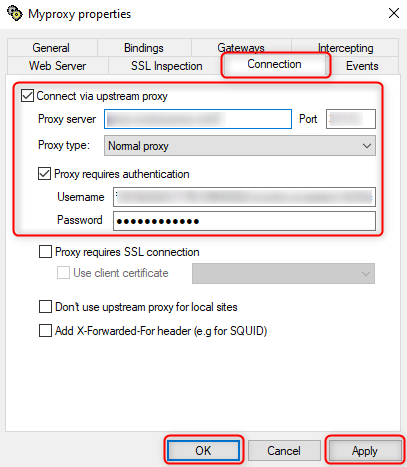
Configure Service Connection
- Go to the Connection tab.
-
Check Connect via upstream proxy and enter the Proxy details:
-
Host- Proxy Server. -
Port.
-
-
Check Proxy requires authentication and provide the login credentials:
-
Username. -
Password.
-
- Click Apply and OK to save the settings.
9
Finalize Setup
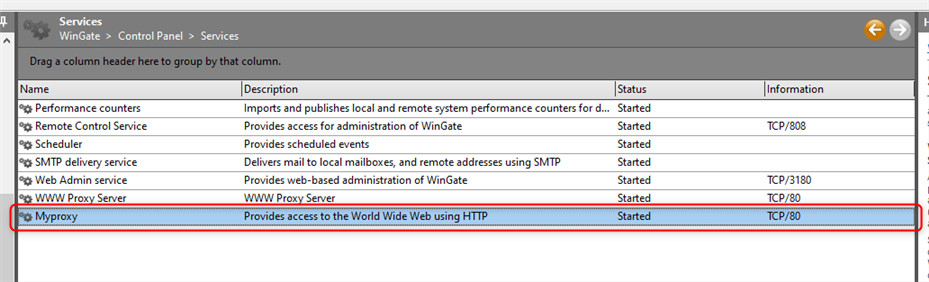
The newly added Proxy Service will now be visible in the Services window and is ready to use.