

1
Go to Subscriptions Page
Open the Active subscriptions page to see your current proxies.
2
Select Proxy
Select the proxy you’d like to change to a monthly subscription, and press Manage subscription.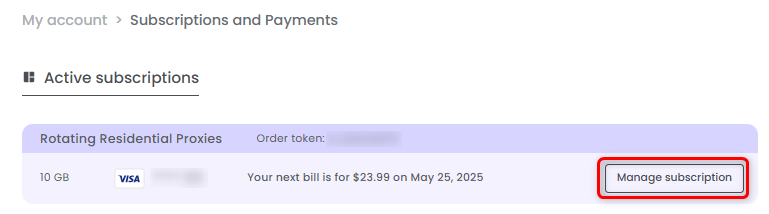
3
Switch to monthly
Press Change to monthly next to the renewal date.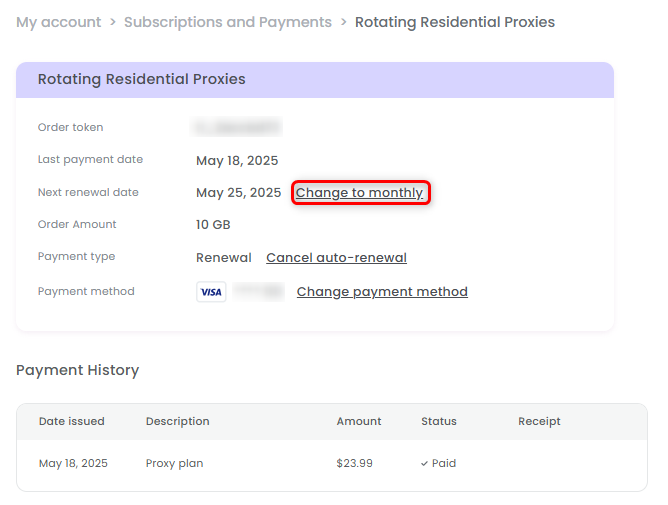
4
Choose what to do next
Now you have two options: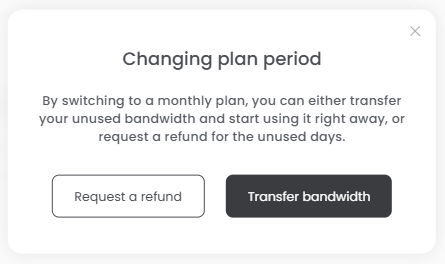
- Receive a refund - Get a refund for the unused days of your current plan and switch to a monthly subscription.
For example, if you cancel after 3 days, you’ll receive a credit for the remaining 4 days, provided you purchase a new plan.
- Transfer bandwidth - Carry over your remaining bandwidth from the current plan and apply it to your new monthly plan.