> ## Documentation Index
> Fetch the complete documentation index at: https://docs.toolip.io/llms.txt
> Use this file to discover all available pages before exploring further.

# How to Get Started

> Follow these steps to set up your Global ISP Proxy with toolip.

Prefer an enterprise-grade guide? Learn more about Oculus Proxies <a href="https://docs.oculusproxies.com/proxy-networks/isp-premium/quick-start" target="_blank" rel="noopener">ISP Premium Proxies Quick Start</a>.

<Steps>
  <Step title="Open Toolip and Get Started">
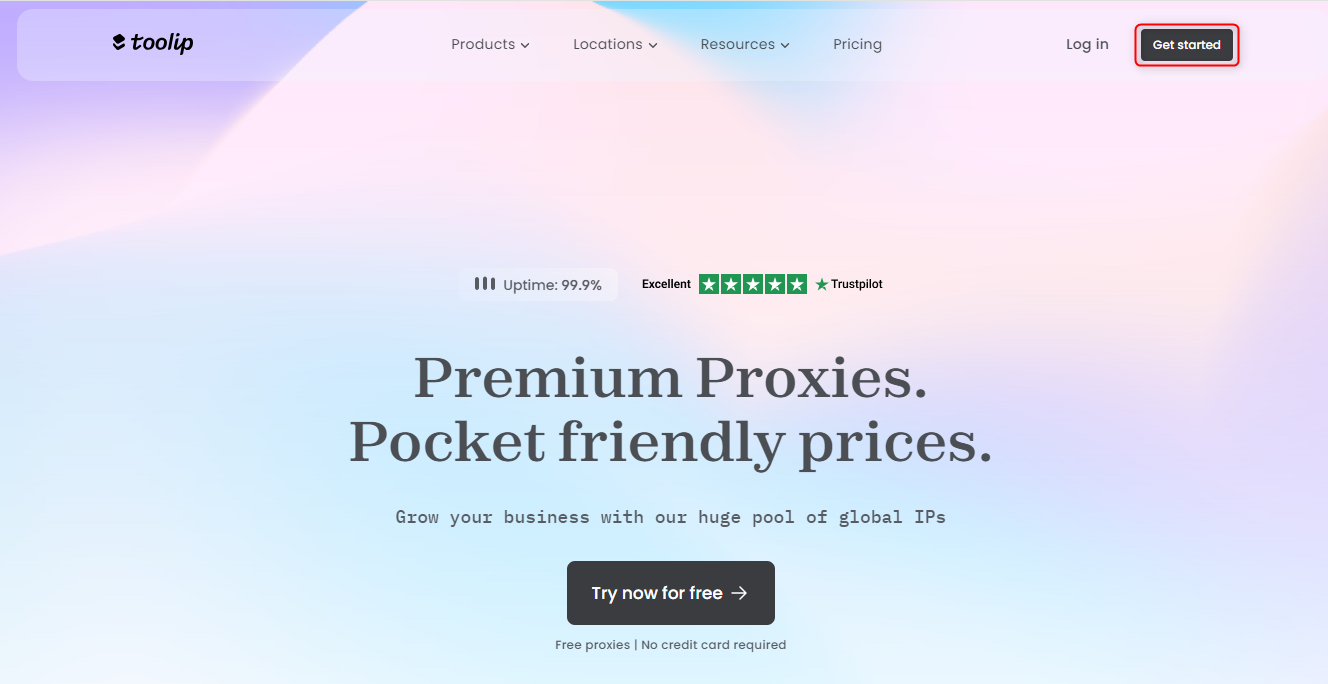
    Open [toolip](https://toolip.io) and click on **Get started**
    <Frame>
      <img src="https://mintcdn.com/toolip-d3ca8ce9/MMJbujYNf18N3KVj/proxy-networks/img/get-started.png?fit=max&auto=format&n=MMJbujYNf18N3KVj&q=85&s=79509ec6e8be39a11e5b85aa009dd2ac" width="1328" height="684" data-path="proxy-networks/img/get-started.png" />
    </Frame>
  </Step>

  <Step title="Begin Setup">
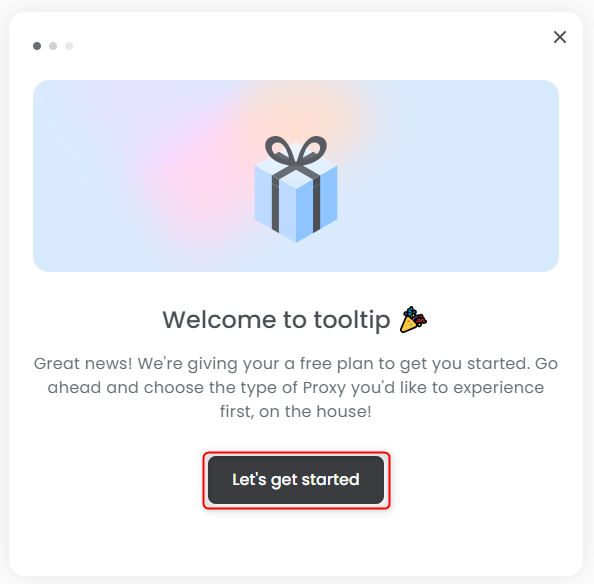
    Click **Let’s Get Started** to follow the setup instructions
    <Frame>
      <img src="https://mintcdn.com/toolip-d3ca8ce9/MMJbujYNf18N3KVj/proxy-networks/img/lets-get-started.png?fit=max&auto=format&n=MMJbujYNf18N3KVj&q=85&s=c1b7f87530cec5b1dcaf4ec60e943254" width="594" height="584" data-path="proxy-networks/img/lets-get-started.png" />
    </Frame>
  </Step>

  <Step title="Select Your Proxy Type">
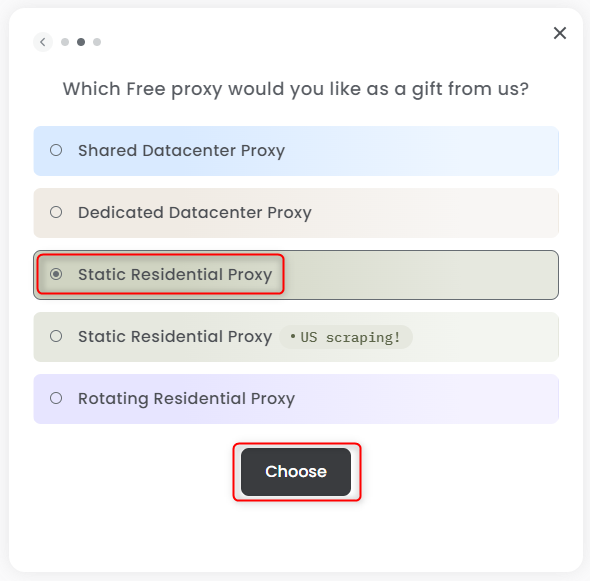
    Choose **Static Residential Proxy** from the list, then click **Choose**
    <Frame>
      <img src="https://mintcdn.com/toolip-d3ca8ce9/MMJbujYNf18N3KVj/proxy-networks/img/select-static.png?fit=max&auto=format&n=MMJbujYNf18N3KVj&q=85&s=5c63c0d42fa47d929093eeac1e3bc481" width="590" height="581" data-path="proxy-networks/img/select-static.png" />
    </Frame>
  </Step>

  <Step title="Generate Your Proxy">
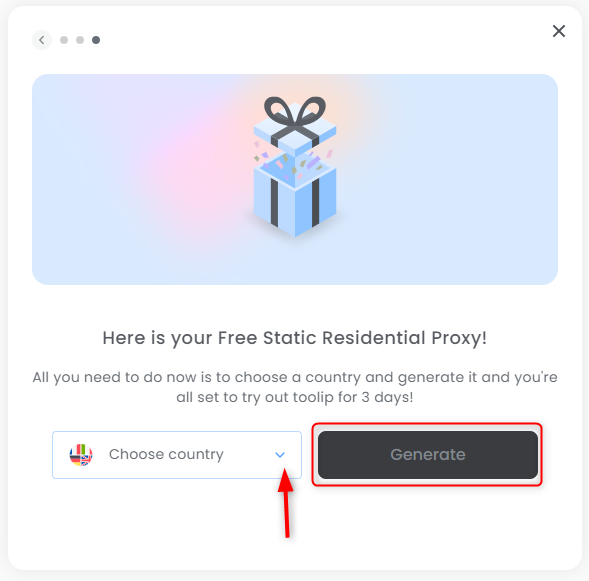
    Select your preferred country, then click the **Generate** button to create your proxy
    <Frame>
      <img src="https://mintcdn.com/toolip-d3ca8ce9/MMJbujYNf18N3KVj/proxy-networks/img/generate-static.png?fit=max&auto=format&n=MMJbujYNf18N3KVj&q=85&s=dc7335c0ab020fb88fda8348fabeac02" width="589" height="581" data-path="proxy-networks/img/generate-static.png" />
    </Frame>
  </Step>

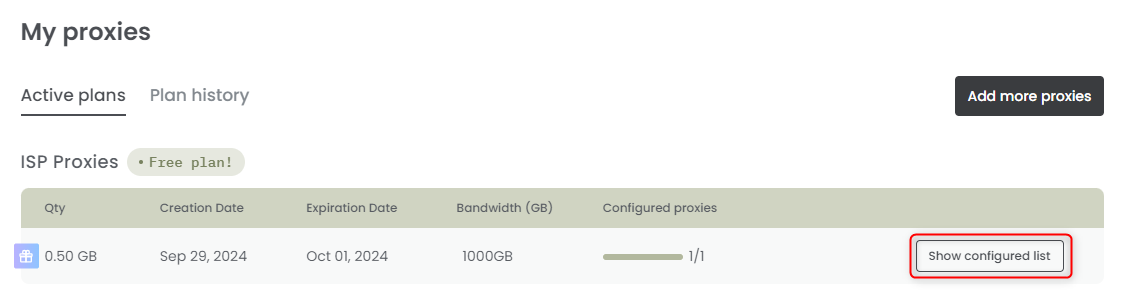
  <Step title="Your Proxy is Ready!">
    Click on **Show configured list** to start using your proxy
    <Frame>
      <img src="https://mintcdn.com/toolip-d3ca8ce9/mPVR9VcnRd7pGe8I/proxy-networks/img/configure-static.png?fit=max&auto=format&n=mPVR9VcnRd7pGe8I&q=85&s=589aed199bfbd59af6a2b111dbf93661" width="1124" height="305" data-path="proxy-networks/img/configure-static.png" />
    </Frame>
  </Step>

  <Step title="Signup (if you haven't yet)">
    Sign up for your free plan — no cost at all! If you’re satisfied, you can always and purchase more proxies [here](https://toolip.io/pricing/global-isp-proxies?lang=en).
  </Step>
</Steps>
