> ## Documentation Index
> Fetch the complete documentation index at: https://docs.toolip.io/llms.txt
> Use this file to discover all available pages before exploring further.
# How to Manage Plan Auto-Renewal
> Easily control your plan's auto-renewal settings. Enable or disable it anytime for a smooth experience.
Prefer an enterprise-grade guide? Learn more about Oculus Proxies Plan Auto-Renew.
Navigate to your [dashboard](https://toolip.io/dashboard/page/plans), hover over the **Renewal Date** of the proxy you want to enable auto-renewal for, and **click on it**.
 Click **Enable Auto-Renewal** to confirm your selection.
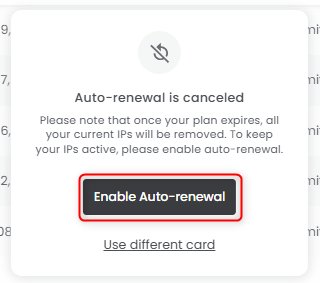 Turn on Plan Auto-Renewal to make sure you don’t lose your IPs after renewal!
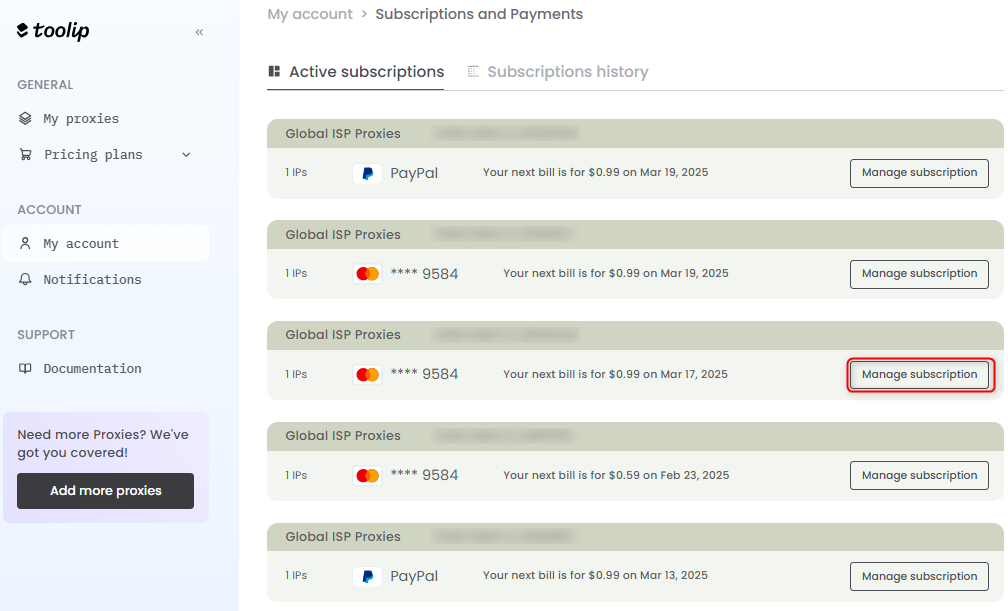
First, open the **My Account** section from the left panel, then go to **Plans and Payments**. From there, navigate to [Subscriptions and Payments](https://toolip.io/dashboard/page/account/section/active), find the proxy you want to disable auto-renewal for, and click **Manage Subscription**.
Turn on Plan Auto-Renewal to make sure you don’t lose your IPs after renewal!
First, open the **My Account** section from the left panel, then go to **Plans and Payments**. From there, navigate to [Subscriptions and Payments](https://toolip.io/dashboard/page/account/section/active), find the proxy you want to disable auto-renewal for, and click **Manage Subscription**.
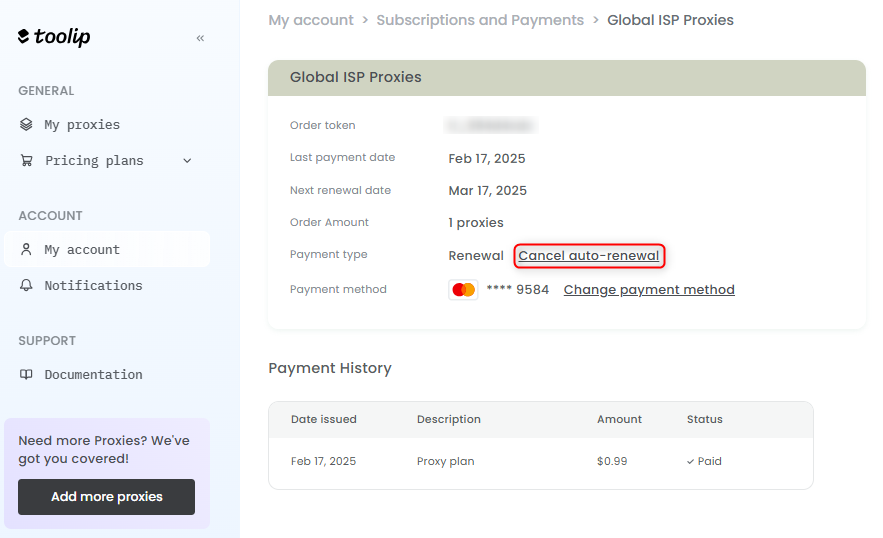
 Under **Payment Type**, select **Cancel Auto-Renewal** to proceed.
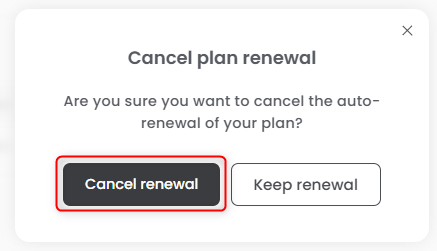
 Click **Cancel Renewal** to complete the process.
 If Plan Auto-Renewal is turned off, your IPs will be released once the plan expires and may be claimed by other users!
You can re-enable auto-renewal anytime through your [dashboard](https://toolip.io/dashboard/page/plans) if you decide to activate it again.
If Plan Auto-Renewal is turned off, your IPs will be released once the plan expires and may be claimed by other users!
You can re-enable auto-renewal anytime through your [dashboard](https://toolip.io/dashboard/page/plans) if you decide to activate it again.