> ## Documentation Index
> Fetch the complete documentation index at: https://docs.toolip.io/llms.txt
> Use this file to discover all available pages before exploring further.
# How to Set Up Toolip With NextCaptcha
> Improve your CAPTCHA-solving capabilities by integrating Toolip with NextCaptcha. This setup ensures secure, anonymous, and uninterrupted automation for bypassing CAPTCHA challenges across various platforms.
## What is NextCaptcha?
**NextCaptcha** is a cutting-edge CAPTCHA-solving service that automates the process of handling CAPTCHA verifications. It is commonly used for large-scale CAPTCHA-solving, bot automation, and secure verification processes. Trusted by industries such as e-commerce, finance, social media, and market research, NextCaptcha provides a reliable and efficient solution for CAPTCHA challenges. By integrating **NextCaptcha with Toolip**, you can enhance privacy, maintain stable connections, and access region-specific CAPTCHA solutions without interruptions.
Prefer an enterprise-grade guide? Learn more about Oculus Proxies Nextcaptcha Integration Guide.
Targeting search engines like Google, Bing, or Yandex requires a specialized proxy to ensure stable access and avoid blocks. **Toolip’s Search Engine ISP Proxies** are designed specifically for this, providing reliable performance where standard proxies may fail. If your proxy test isn't working on search engines, switching to **Search Engine ISP Proxies** can resolve the issue.
## How to Integrate Toolip with NextCaptcha
gO TO THE [NextCaptcha website](https://nextcaptcha.com/) and **register** if you haven’t already.
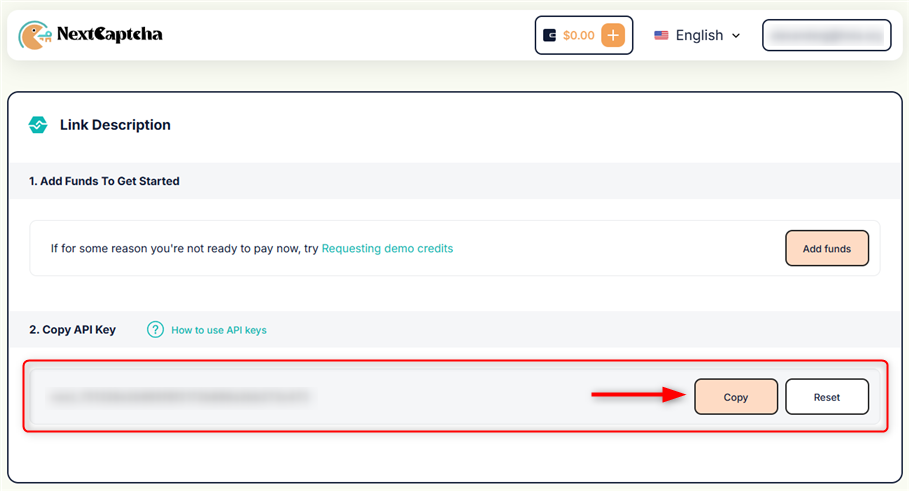
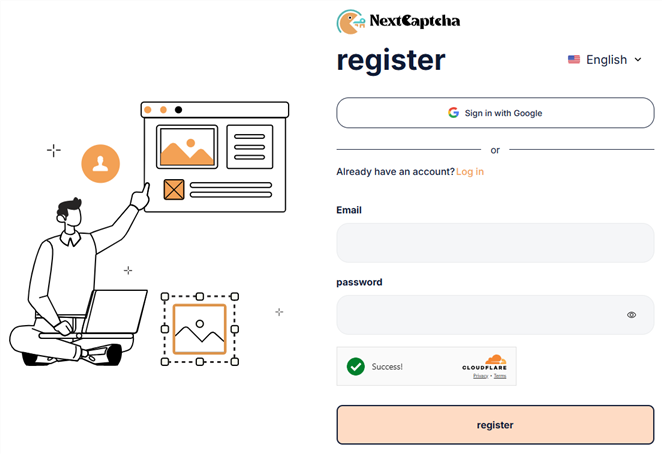 Access your [NextCaptcha dashboard](https://dashboard.nextcaptcha.com/dashboard), locate your **API key**, and copy it.
 Include your **proxy details** to the NextCaptcha API requests, note that **only RecaptchaV3** supports proxy authentication. Use the following example to configure it:
```json Request example theme={null}
{
"clientKey":"YOUR API KEY",
"task": {
"type":"RecaptchaV3Task",
"websiteURL":"https://google.com",
"websiteKey":"6LfD3PIbAAAAAJs_eEHvoOl75_83eXSqpPSRFJ_u",
"pageAction":"login",
"proxyType":"http",
"proxyAddress":"proxy.toolip.io",
"proxyPort":YOUR PROXY PORT,
"proxyLogin":"YOUR PROXY USER",
"proxyPassword":"YOUR PROXY PASS"
}
}
```
Expected response example:
```json Response example theme={null}
{
"errorId": 0,
"status": "ready",
"solution": {
"gRecaptchaResponse": "03AGdBq26gJ8v3Z3J9z3..."
},
"createTime": 1701234567890,
"endTime": 1701234567890
}
```
Include your **proxy details** to the NextCaptcha API requests, note that **only RecaptchaV3** supports proxy authentication. Use the following example to configure it:
```json Request example theme={null}
{
"clientKey":"YOUR API KEY",
"task": {
"type":"RecaptchaV3Task",
"websiteURL":"https://google.com",
"websiteKey":"6LfD3PIbAAAAAJs_eEHvoOl75_83eXSqpPSRFJ_u",
"pageAction":"login",
"proxyType":"http",
"proxyAddress":"proxy.toolip.io",
"proxyPort":YOUR PROXY PORT,
"proxyLogin":"YOUR PROXY USER",
"proxyPassword":"YOUR PROXY PASS"
}
}
```
Expected response example:
```json Response example theme={null}
{
"errorId": 0,
"status": "ready",
"solution": {
"gRecaptchaResponse": "03AGdBq26gJ8v3Z3J9z3..."
},
"createTime": 1701234567890,
"endTime": 1701234567890
}
```