> ## Documentation Index
> Fetch the complete documentation index at: https://docs.toolip.io/llms.txt
> Use this file to discover all available pages before exploring further.
# How to Set Up Toolip With GSA Search Engine Ranker
> Supercharge your SEO campaigns with GSA Search Engine Ranker! Learn how to integrate Toolip to enhance automation, improve anonymity, and ensure uninterrupted performance.
 ## What is GSA Search Engine Ranker?
**GSA Search Engine Ranker** is an all-in-one SEO automation tool that continuously creates backlinks without manual intervention. It finds websites, registers accounts, and submits content 24/7, helping improve search rankings effortlessly.
By integrating **Toolip**, you can maximize efficiency while maintaining anonymity, avoiding captchas, and preventing IP bans. GSA SER supports various proxy configurations, allowing you to optimize backlink strategies while ensuring a smooth and secure workflow.
Prefer an enterprise-grade guide? Learn more about Oculus Proxies Gsa Search Engine Integration Guide.
Targeting search engines like Google, Bing, or Yandex requires a specialized proxy to ensure stable access and avoid blocks. **Toolip’s Search Engine ISP Proxies** are designed specifically for this, providing reliable performance where standard proxies may fail. If your proxy test isn’t working on search engines, switching to **Search Engine ISP Proxies** can resolve the issue.
## How to Integrate Toolip With GSA Search Engine Ranker
1\. Visit the [official GSA website](https://www.gsa-online.de/en/product/search_engine_ranker/) and download the software.
2\. Follow the installation prompts to complete the setup.
1\. Launch **GSA Search Engine Ranker**.
2\. Navigate to the **Options** menu.
## What is GSA Search Engine Ranker?
**GSA Search Engine Ranker** is an all-in-one SEO automation tool that continuously creates backlinks without manual intervention. It finds websites, registers accounts, and submits content 24/7, helping improve search rankings effortlessly.
By integrating **Toolip**, you can maximize efficiency while maintaining anonymity, avoiding captchas, and preventing IP bans. GSA SER supports various proxy configurations, allowing you to optimize backlink strategies while ensuring a smooth and secure workflow.
Prefer an enterprise-grade guide? Learn more about Oculus Proxies Gsa Search Engine Integration Guide.
Targeting search engines like Google, Bing, or Yandex requires a specialized proxy to ensure stable access and avoid blocks. **Toolip’s Search Engine ISP Proxies** are designed specifically for this, providing reliable performance where standard proxies may fail. If your proxy test isn’t working on search engines, switching to **Search Engine ISP Proxies** can resolve the issue.
## How to Integrate Toolip With GSA Search Engine Ranker
1\. Visit the [official GSA website](https://www.gsa-online.de/en/product/search_engine_ranker/) and download the software.
2\. Follow the installation prompts to complete the setup.
1\. Launch **GSA Search Engine Ranker**.
2\. Navigate to the **Options** menu.
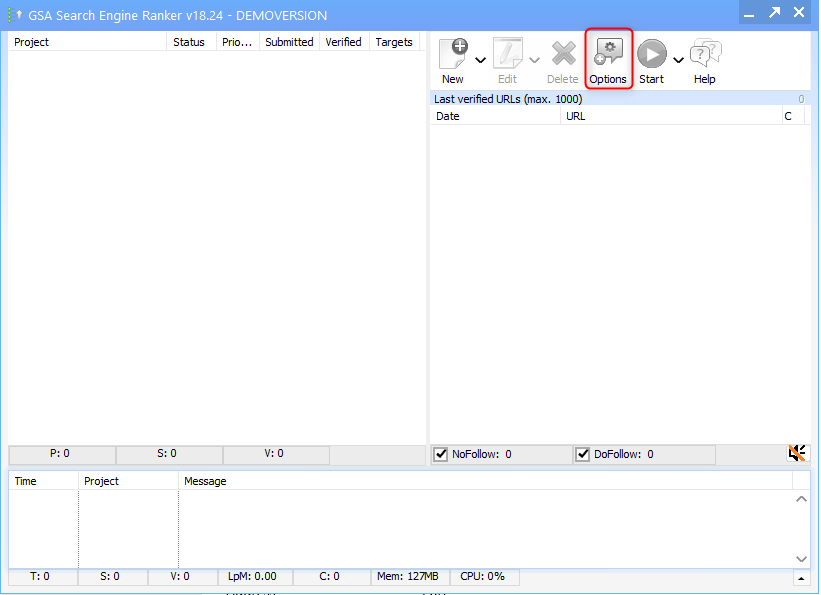 1\. Under the **Submissions** section, locate the proxy settings.
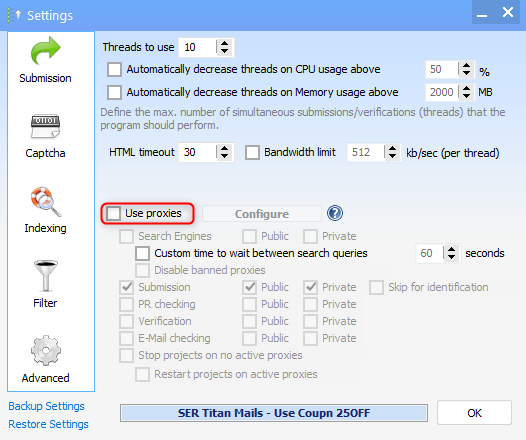
2\. Check the box for **Use proxies** to allow proxy integration.
1\. Under the **Submissions** section, locate the proxy settings.
2\. Check the box for **Use proxies** to allow proxy integration.
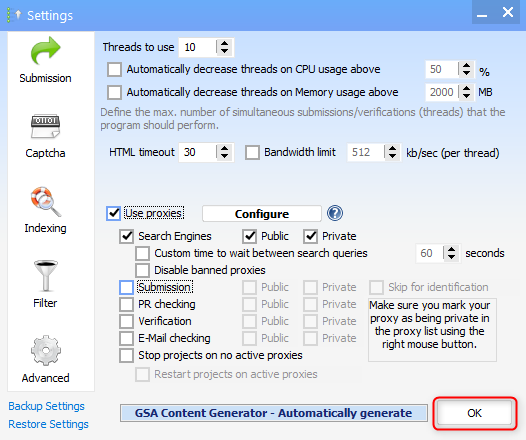
 1\. Click **OK** to confirm and apply your settings.
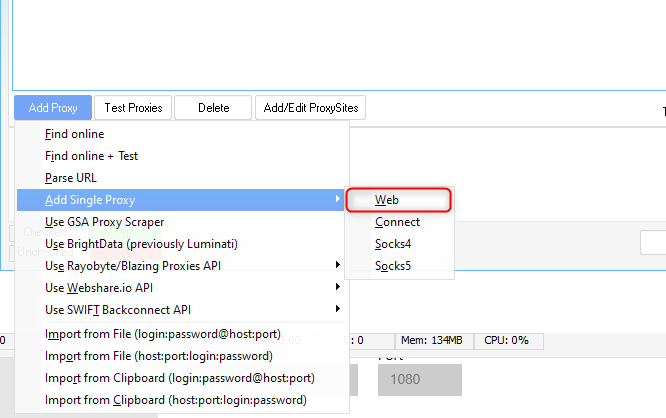
 1\. When the proxy settings window opens, click **Add Proxy**.
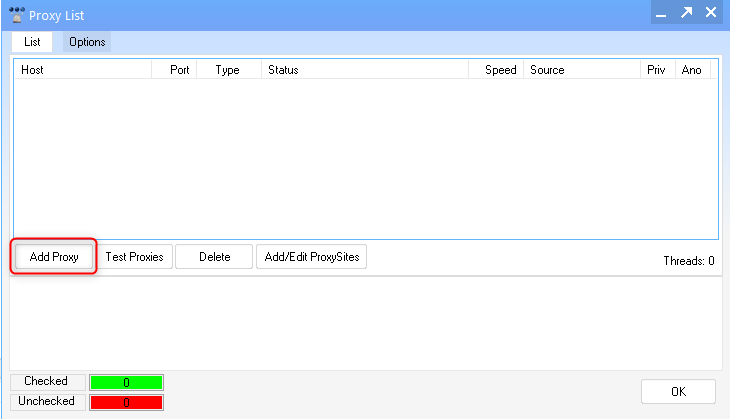 1\. Select **Add Single Proxy → Web** to enter a manual proxy.
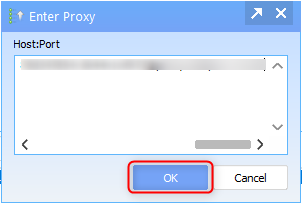
 1\. Input your Toolip proxy details in the following format:
```
Username:Password@proxy.toolip.io:Port
```
2\. Click **OK** to save the proxy settings.
1\. Input your Toolip proxy details in the following format:
```
Username:Password@proxy.toolip.io:Port
```
2\. Click **OK** to save the proxy settings.
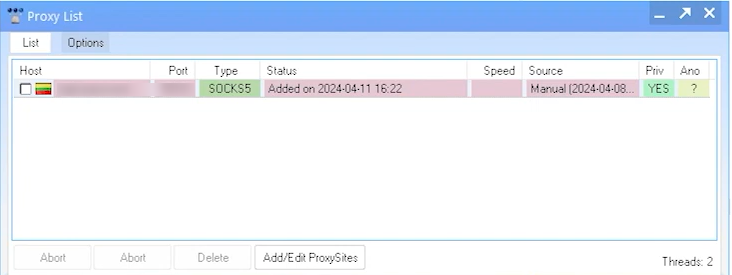
 1\. Run a **proxy test** to verify that your Toolip proxy is working correctly.
2\. Ensure the test is successful before proceeding.
1\. Run a **proxy test** to verify that your Toolip proxy is working correctly.
2\. Ensure the test is successful before proceeding.
 By setting up **Toolip** proxies in **GSA Search Engine Ranker**, you can improve automation, avoid detection, and ensure uninterrupted backlink creation. Whether you're managing multiple projects or running large-scale SEO campaigns, this setup helps keep your IP protected while maintaining efficiency. 🚀